
RocketPlay login in 3 steps on desktop and mobile
- Press Log In on the casino site.
- Type the email address and the password you registered with.
- Enter the one time code if you have switched on 2FA, and confirm.
You land in the lobby with your balance, active bonuses and wagering progress where you left them. On a personal device, the session stays open until you log out, so a daily visit takes one tap. Still need an account? The form takes about two minutes and is explained in our RocketPlay registration guide, welcome bonus checkbox included.
Login options at RocketPlay: 4 ways into one AUD account
| Device | How you sign in | What stays the same |
|---|---|---|
| Desktop browser | email and password on the casino site | balance, bonuses, history |
| Mobile browser | the same form in Chrome or Safari | balance, bonuses, history |
| Installed web app | icon on your home screen, session kept | balance, bonuses, history |
| New device | email, password and 2FA code if enabled | balance, bonuses, history |
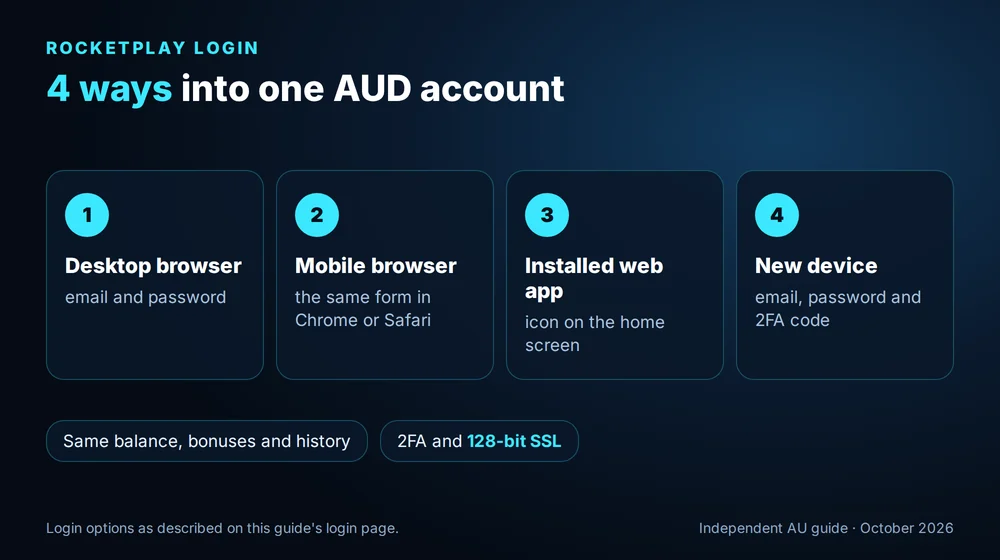
RocketPlay keeps one account per player, whatever the screen. Sign in on a laptop at home and a phone on the train, and you will see the same A$ balance, the same VIP level and the same open promotions. Installing the web app is the quickest route on a phone, because it opens straight into your account without typing anything, and the setup for both Android and iPhone is in our RocketPlay app guide.
Open the RocketPlay lobby on your phone
Forgotten password: reset in about 5 minutes
The RocketPlay reset takes three moves. Under the login form, follow the forgotten password link and type the address your account was opened with; a message with a reset link reaches that inbox within a few minutes, and the link lets you set a new password and go straight back to the lobby.
Two RocketPlay reset details save time. First, check the spam folder if the message is not in your inbox within a few minutes. Second, use only the most recent email if you have pressed reset more than once, because each new request replaces the link sent before it and the older ones stop working. If no email arrives at all, the account may have been opened with another address, and live chat can find it once you confirm your name and date of birth.
Protect your RocketPlay login with 2FA and 128-bit SSL
RocketPlay protects the connection with 128-bit SSL encryption and lets you add two factor authentication in the security section of your profile. With 2FA on, a password alone is no longer enough to enter the account: each new device also needs a one time code sent to you during sign in.
It takes a minute to set up, and the prompts in your profile show each step. Keep any backup code somewhere safe and offline. For an account that holds money and identity documents, this is the single most useful setting you can change. Pair it with a password used nowhere else.
6 login problems and how to fix them
| Problem | Reason | Fix |
|---|---|---|
| Wrong password message | typo, Caps Lock or an old password | retype slowly or reset the password |
| No reset email | spam folder or another address | check spam, try your other emails |
| Account locked | several failed attempts in a row | reset the password or ask live chat |
| 2FA code rejected | expired or mistyped code | request a fresh code and type it at once |
| Logged out on every visit | private mode or cleared cookies | use a normal tab or the web app |
| Page looks broken | outdated browser cache | clear the cache and reload |
Most RocketPlay login hiccups clear in under a minute. When none of them fits, live chat answers 24/7, first through an AI assistant and then through a human agent if you ask for one. Have your account email ready, and the agent can check the status on their side while you wait.
Contact RocketPlay support from the login page
After you log in: verification in 3 documents
Login opens the account, but a withdrawal needs verification. In the Verification tab you confirm your identity with an ID or passport, then your address with a recent bill or bank statement, both through SumSub. A photo of the card or wallet you deposit with completes the set. The check runs only once, and it goes far more smoothly on a quiet day with a small balance than straight after a big win, when you are waiting for money and every missing document feels like an hour. Doing it in your first session means every later payout goes straight to review. The steps and payout times that follow are summarised on the RocketPlay casino home page.
Verify your RocketPlay account today
RocketPlay login FAQ: 4 answers for Australia
Usually it comes down to one of three things: a typo in the password, a lock triggered by several wrong tries in a row, or a 2FA code that expired before you typed it. Reset the password from the login form, request a fresh code and try again. If that does not work, live chat can unlock the account at any hour.
Yes. One email and password give access to the same account on a desktop, a mobile browser and the installed web app. Your AUD balance, active bonuses, VIP level and transaction history are identical everywhere. With 2FA switched on, each new device asks for a one time code on the first login.
Once logged in, open your profile settings, enter the current password and choose a new one. If you have forgotten the current password, use the reset link on the login form instead and follow the email. Choose a password you have never used on another site, and turn on 2FA for an extra layer of protection.
No. The terms allow one account per person, and verification links duplicates through ID, address and payment data. If you have lost access to your account, ask live chat to recover it instead of opening a new one. A recovered account keeps its balance, VIP level and the bonus history attached to it.
18+. This independent guide is not the casino and cannot access accounts. Need to talk? Gambling Help Online, 1800 858 858, any time.
Updated: